
ArkServer
服务器状态监控 & SSH 终端Server monitoring & SSH terminal
在 HarmonyOS 设备上集中查看 Linux 服务器的在线状态、CPU、内存、网络与磁盘指标,并随时打开 SSH 终端。机器与认证信息统一管理,高级版还支持华为云同步。Monitor Linux server availability, CPU, memory, network, and disk metrics from HarmonyOS, then open an SSH terminal whenever you need it. Manage machines and identities in one place, with Huawei Cloud sync available in Premium.

- 安全连接Secure access
- SSH
- 服务器监控Server monitoring
- Linux
- 华为云同步Huawei Cloud sync
- Cloud
从状态总览到远程维护,四步完成。From status overview to remote maintenance in four steps.
ArkServer 将监控、终端、资源管理和云同步串成一套轻量工作流,让服务器状态随时可见、问题随时可处理。ArkServer brings monitoring, terminal access, resource management, and cloud sync into a lightweight workflow for checking and maintaining servers anywhere.
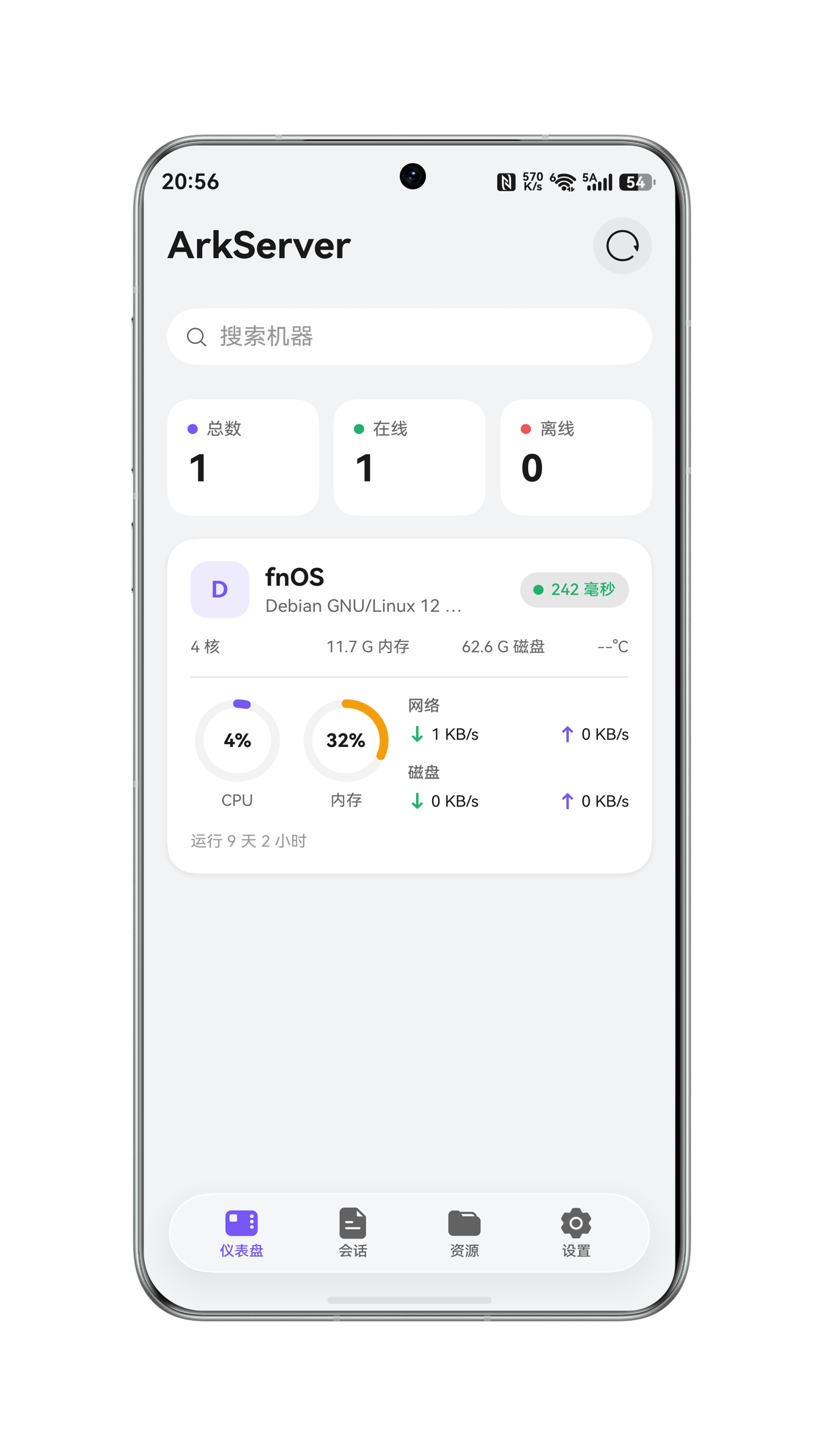
1. 服务器状态一眼掌握1. Server status at a glance
仪表盘集中显示在线与离线状态、连接延迟、CPU、内存、网络、磁盘和运行时长,并支持搜索、筛选与刷新。See availability, latency, CPU, memory, network, disk, and uptime in one dashboard, with search, filters, and refresh controls.
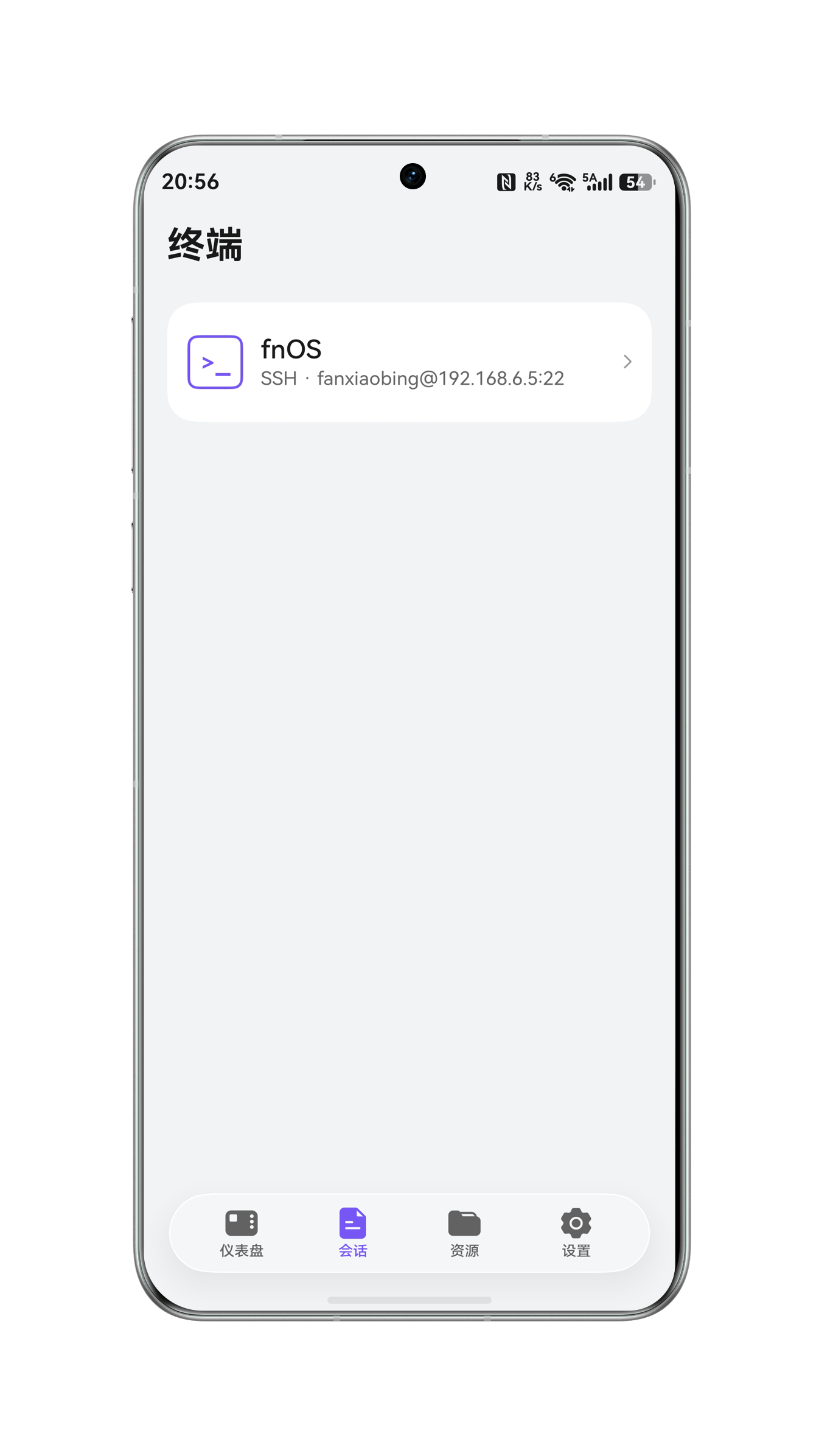
2. 随时进入 SSH 终端2. SSH terminal on demand
从已保存的服务器会话快速发起 SSH 连接,在移动设备上完成日常命令执行与远程维护。Start SSH connections from saved server sessions for everyday command-line work and remote maintenance on the go.
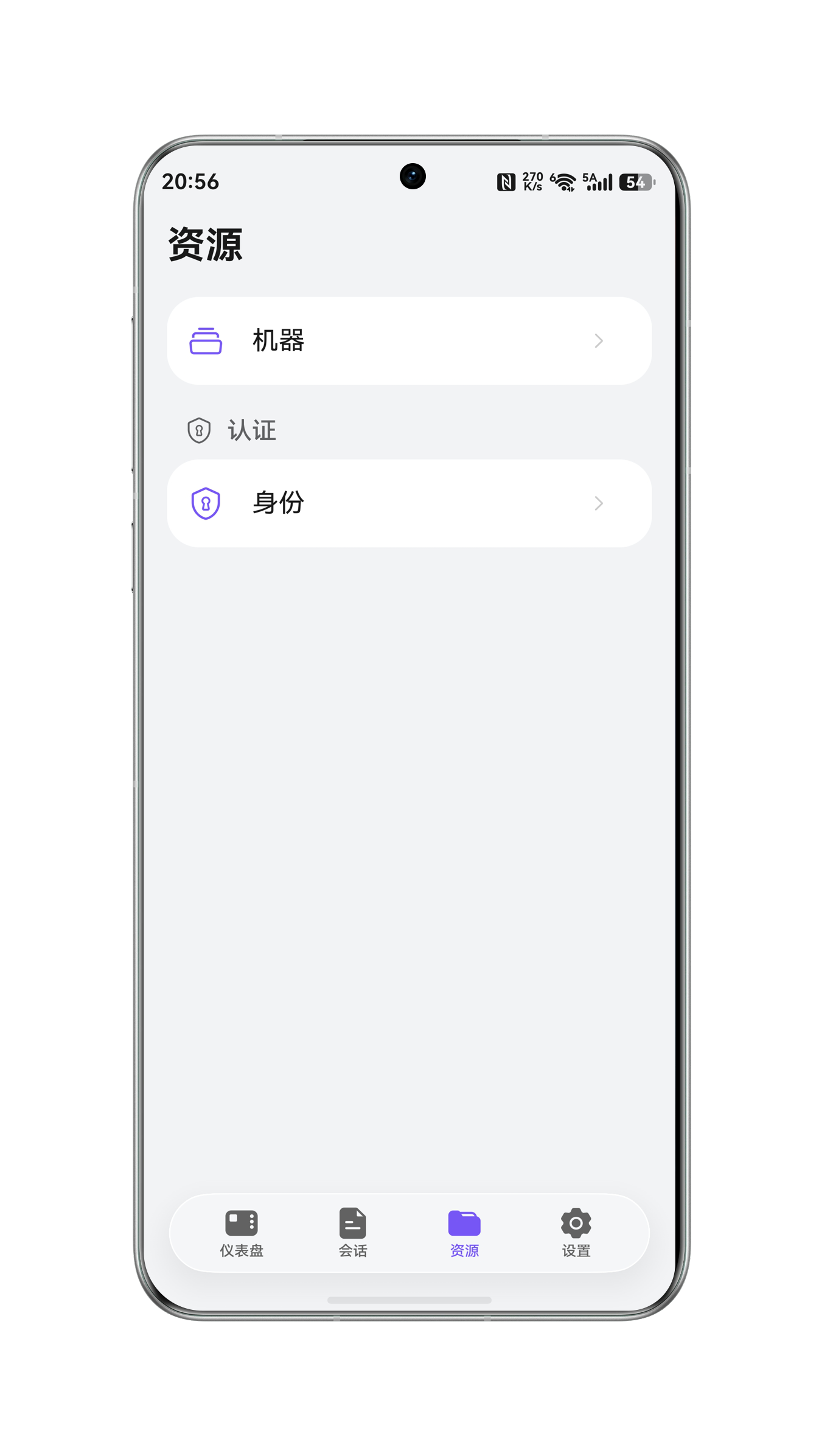
3. 机器与认证分开管理3. Organized machines and identities
在资源页统一维护服务器、端口和身份信息,复用认证配置,添加多台机器时更清晰。Keep servers, ports, and authentication identities organized as reusable resources when managing multiple machines.
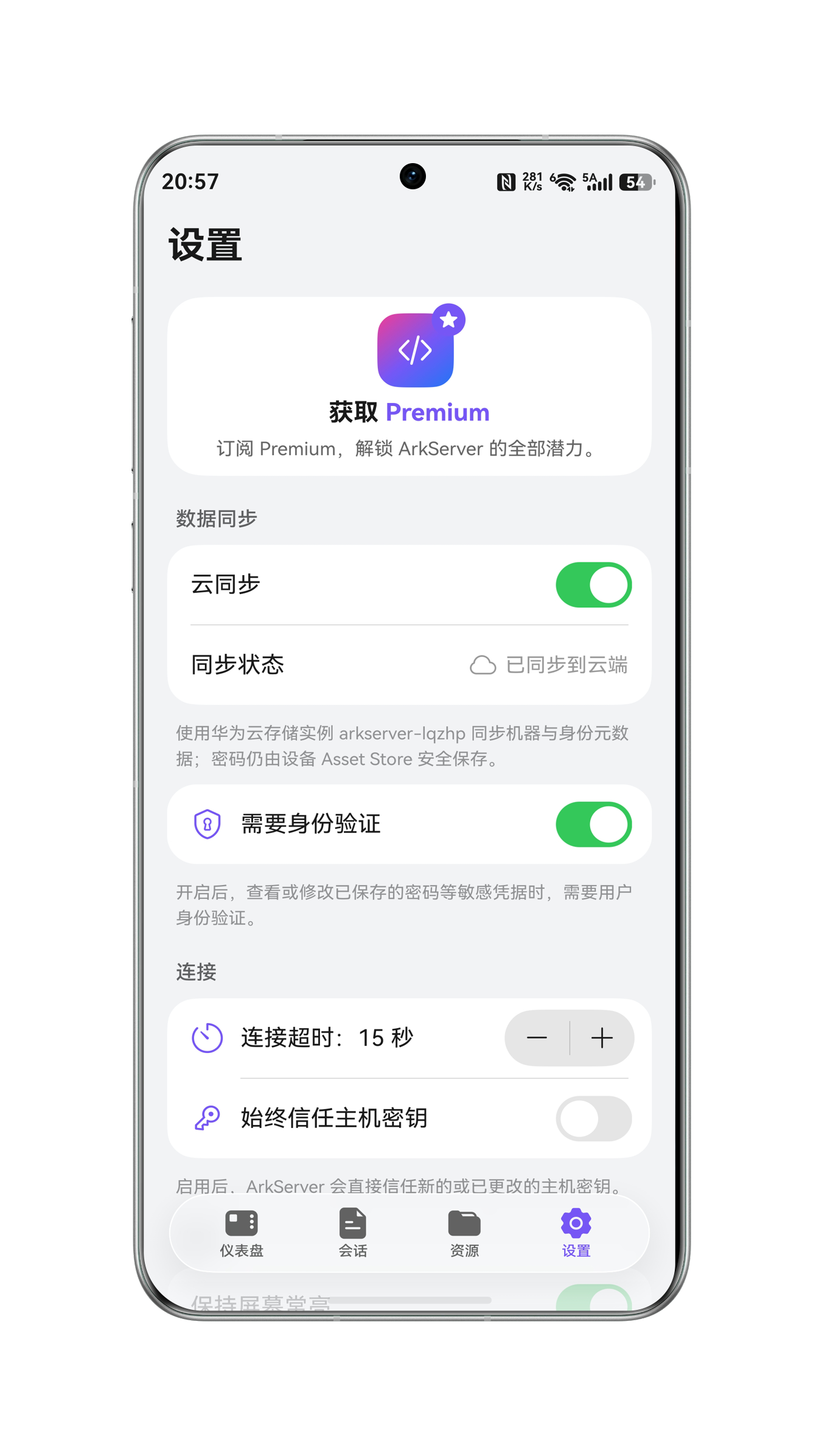
4. 云同步与连接安全4. Cloud sync and connection security
高级版通过华为云同步机器与身份数据;密码保存在设备 Asset Store,并可开启身份验证、连接超时和主机密钥策略。Premium syncs machines and identities through Huawei Cloud, while passwords stay in the device Asset Store with authentication and connection controls.
把服务器状态装进口袋。Keep server status in your pocket.
从 AppGallery 免费下载 ArkServer,添加第一台 Linux 服务器,随时查看状态或打开 SSH 终端。Download ArkServer free from AppGallery, add your first Linux server, and monitor it or open an SSH terminal from anywhere.
来自真实用户的使用反馈。Feedback from real ArkServer users.
大家喜欢它的完整功能、清晰界面和及时反馈,也提出了更多监控与连接能力的期待。Users value its complete feature set, clear interface, and responsive support, while sharing ideas for deeper monitoring and connectivity.
一台免费,多台按需升级。From a free start to lifetime access.
免费用户可管理一个服务器;月付、年付和永久版均支持多个服务器与云同步。Free users can manage one server. Monthly, annual, and lifetime plans all include multiple servers and cloud sync.
免费用户Free
¥0
免费连接并管理一台服务器。Connect and manage one server for free.
- 一个服务器One server
- 状态监控Status monitoring
- SSH 终端SSH terminal
月付Monthly
¥8
按月解锁多服务器管理与云同步。Unlock multiple servers and cloud sync month to month.
- 多个服务器Multiple servers
- 华为云同步Huawei Cloud sync
- 按月订阅Monthly subscription
年付Annual
¥78
全年使用多服务器管理与云同步。Use multiple servers and cloud sync for a full year.
- 多个服务器Multiple servers
- 华为云同步Huawei Cloud sync
- 年度订阅Annual subscription
永久Lifetime
¥128
一次购买,永久使用全部高级能力。One purchase for permanent access to Premium features.
- 多个服务器Multiple servers
- 华为云同步Huawei Cloud sync
- 永久解锁Lifetime unlock
常见问题Frequently asked questions
这里整理了服务器连接、版本权益、云同步与凭据安全方面的常见问题。Answers about server connections, plans, cloud sync, and credential security.
ArkServer 支持哪些服务器?Which servers does ArkServer support?
当前主要面向可通过 SSH 连接的 Linux 服务器。部分指标依赖服务器系统提供的数据;Windows 服务器监控暂不在当前支持范围内。ArkServer currently focuses on Linux servers reachable over SSH. Some metrics depend on system-provided data, and Windows monitoring is not currently supported.
如何添加第一台服务器?How do I add my first server?
在“资源”中先创建身份认证信息,再添加机器的主机地址、SSH 端口与所用身份。保存后可在仪表盘验证连接并查看状态。Create an authentication identity under Resources, then add the machine host, SSH port, and selected identity. Once saved, verify the connection from the dashboard.
免费版和高级版有什么区别?What is included in Free and Premium?
免费用户可管理一个服务器。月付、年付或永久版可管理多个服务器,并启用机器与身份信息的华为云同步。Free users can manage one server. Monthly, annual, and lifetime Premium plans add multiple servers and Huawei Cloud sync for machines and identities.
云同步会同步密码吗?Does cloud sync upload my passwords?
ArkServer 使用华为云存储实例同步机器与身份元数据;密码仍由设备 Asset Store 安全保存,不作为普通云同步数据上传。ArkServer uses Huawei Cloud to sync machine and identity metadata. Passwords remain protected in the device Asset Store rather than being uploaded as ordinary sync data.
为什么服务器显示离线?Why does a server appear offline?
请检查服务器地址与 SSH 端口、当前网络或 VPN、身份密码,以及服务器是否允许 SSH 登录。也可在设置中适当调整连接超时时间。Check the host and SSH port, your current network or VPN, the saved credentials, and whether the server accepts SSH connections. You can also adjust the connection timeout in Settings.
如何保护已保存的敏感信息?How are saved credentials protected?
可在设置中开启“需要身份验证”。开启后,查看或修改已保存的密码等敏感信息时,需要先完成用户身份验证。Enable “Require authentication” in Settings. ArkServer will then ask for user verification before displaying or changing saved passwords and other sensitive data.